Architecture
This page describes component schematics for each install variant. For what each variant installs on the cluster and which overrides apply, see Installation details.
Common components
Every variant deploys these components on the single hub cluster:
| Component | Role |
|---|---|
Validated Patterns Operator and OpenShift GitOps | Installs and syncs the pattern through a single Argo CD instance ( |
HashiCorp Vault | Stores secrets loaded from your secrets file |
External Secrets Operator | Projects Vault secrets into Kubernetes Secrets for AAP and related charts |
ansible-automation-platform-operator | Operator channel |
ansible-automation-platform-instance chart | Deploys the AAP instance; release and feature flags come from per-variant overrides |
aap-config chart | Loads CaC from the configured repository (default: |
Related charts:
Architecture diagrams
Each install variant has a hub-cluster schematic as PNG with matching draw.io source.
PNG and draw.io files live in static/images/aap-starter-kit/.
| Diagram | Variant | PNG | draw.io source |
|---|---|---|---|
|
| ||
|
| ||
|
| ||
|
|
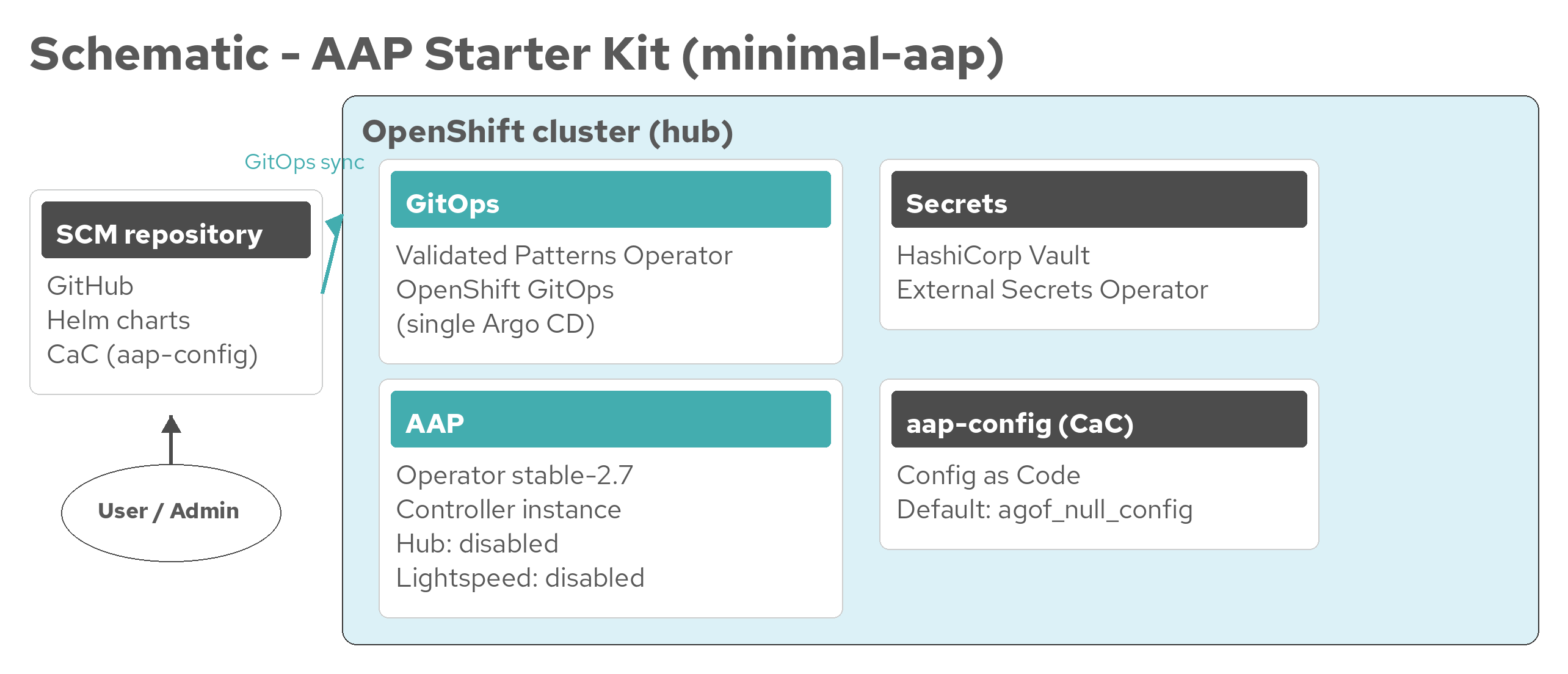
minimal-aap schematic
Default variant.
Deploys AAP 2.7 with controller and minimal CaC.
Automation hub and Lightspeed are disabled through
overrides/values-aap-instance-minimal.yaml.
Figure 1. AAP Starter Kit architecture (minimal-aap)
draw.io source: aap-architecture-minimal-aap.drawio
| Layer | What runs |
|---|---|
Storage | Cluster default storage classes only (no OpenShift Data Foundation chart) |
AAP features | Controller; automation hub off; Lightspeed off |
Orchestration | None |
aap-with-hub schematic
Adds OpenShift Data Foundation for RWX storage and enables automation hub.
Lightspeed remains disabled.
Instance flags come from
overrides/values-aap-instance-with-hub.yaml.
ODF object storage is disabled in
overrides/values-odf-chart.yaml.
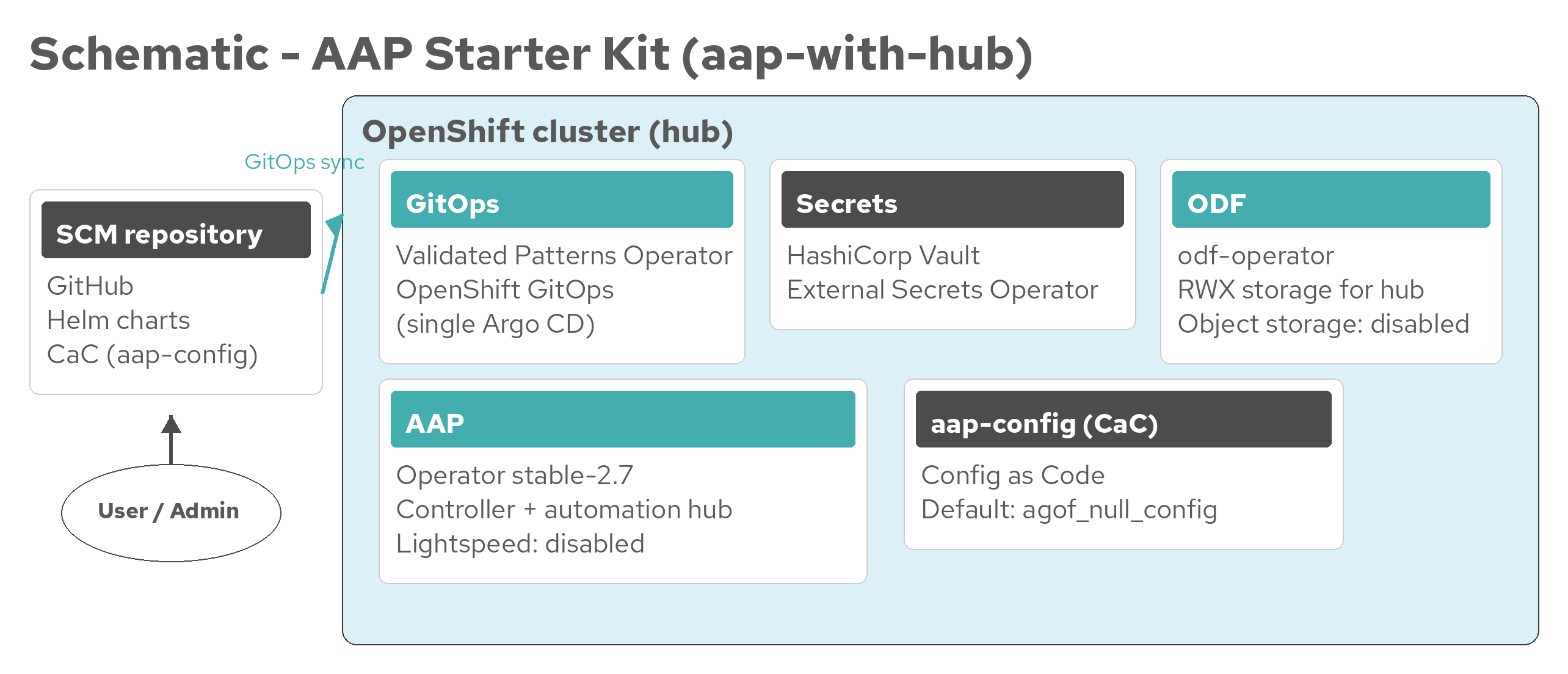
Figure 2. AAP Starter Kit architecture (aap-with-hub)
draw.io source: aap-architecture-aap-with-hub.drawio
| Layer | What runs |
|---|---|
Storage | OpenShift Data Foundation StorageSystem (inventory; object storage disabled) |
AAP features | Controller and automation hub; Lightspeed off |
Orchestration | None |
aap-with-ao schematic
Adds CloudNativePG and Automation Orchestrator on top of the minimal AAP instance (hub and Lightspeed still disabled).
PostgreSQL 15 for Orchestrator and Temporal databases is provided by the vp-cloudnative-pg-cluster chart with overrides in
overrides/values-vp-cloudnative-pg-ao.yaml.
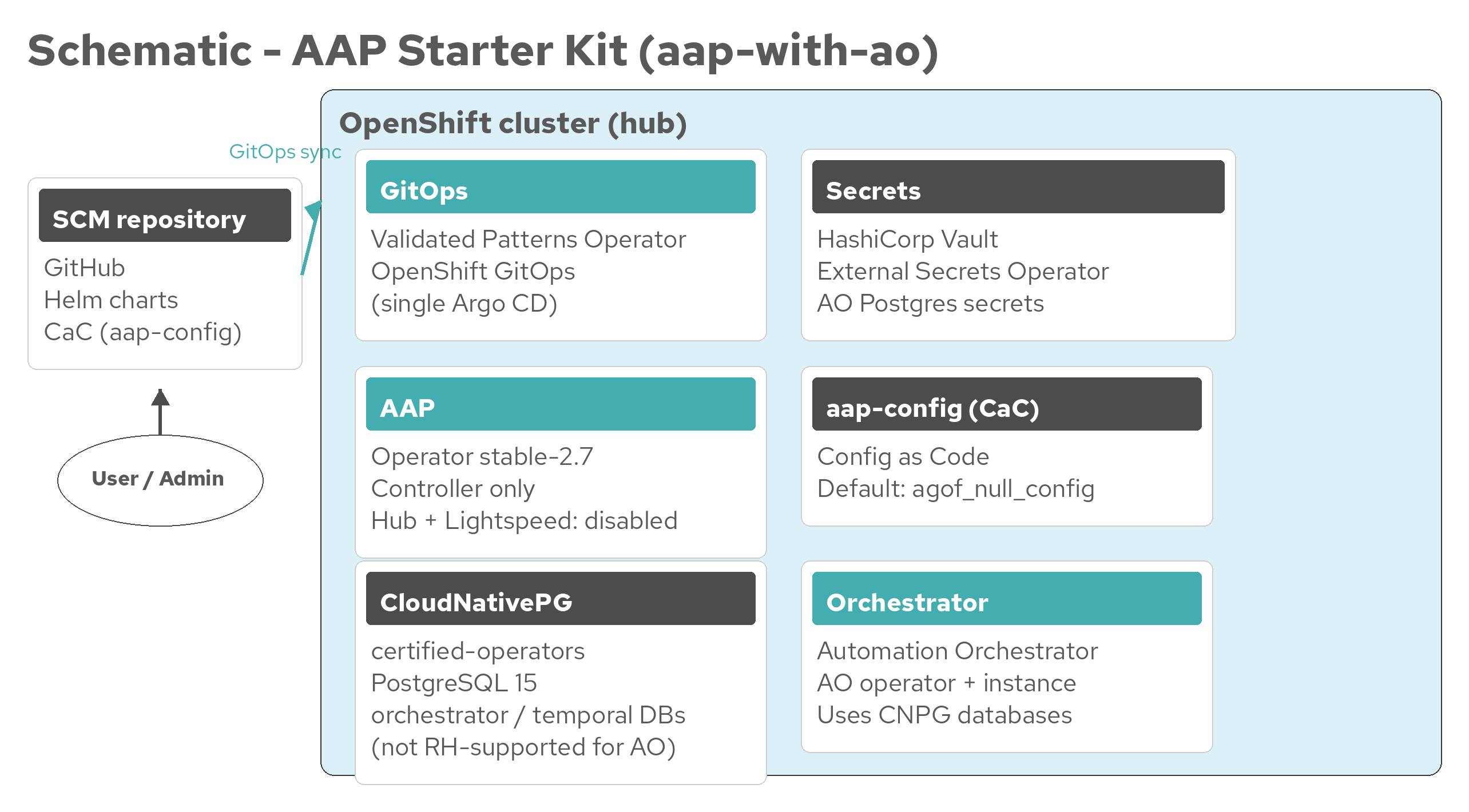
Figure 3. AAP Starter Kit architecture (aap-with-ao)
draw.io source: aap-architecture-aap-with-ao.drawio
| Layer | What runs |
|---|---|
Storage | Cluster default storage for CNPG volumes (no OpenShift Data Foundation) |
AAP features | Controller; automation hub off; Lightspeed off |
Database | CloudNativePG PostgreSQL 15 ( |
Orchestration | Automation Orchestrator operator and instance chart |
Red Hat does not support CloudNativePG for Automation Orchestrator databases. Prefer an externally supported PostgreSQL 15 instance when a supported database is required. |
complete-aap-ao schematic
Full stack: automation hub, Lightspeed, OpenShift Data Foundation, CloudNativePG, and Automation Orchestrator.
Instance flags come from
overrides/values-aap-instance-complete.yaml.
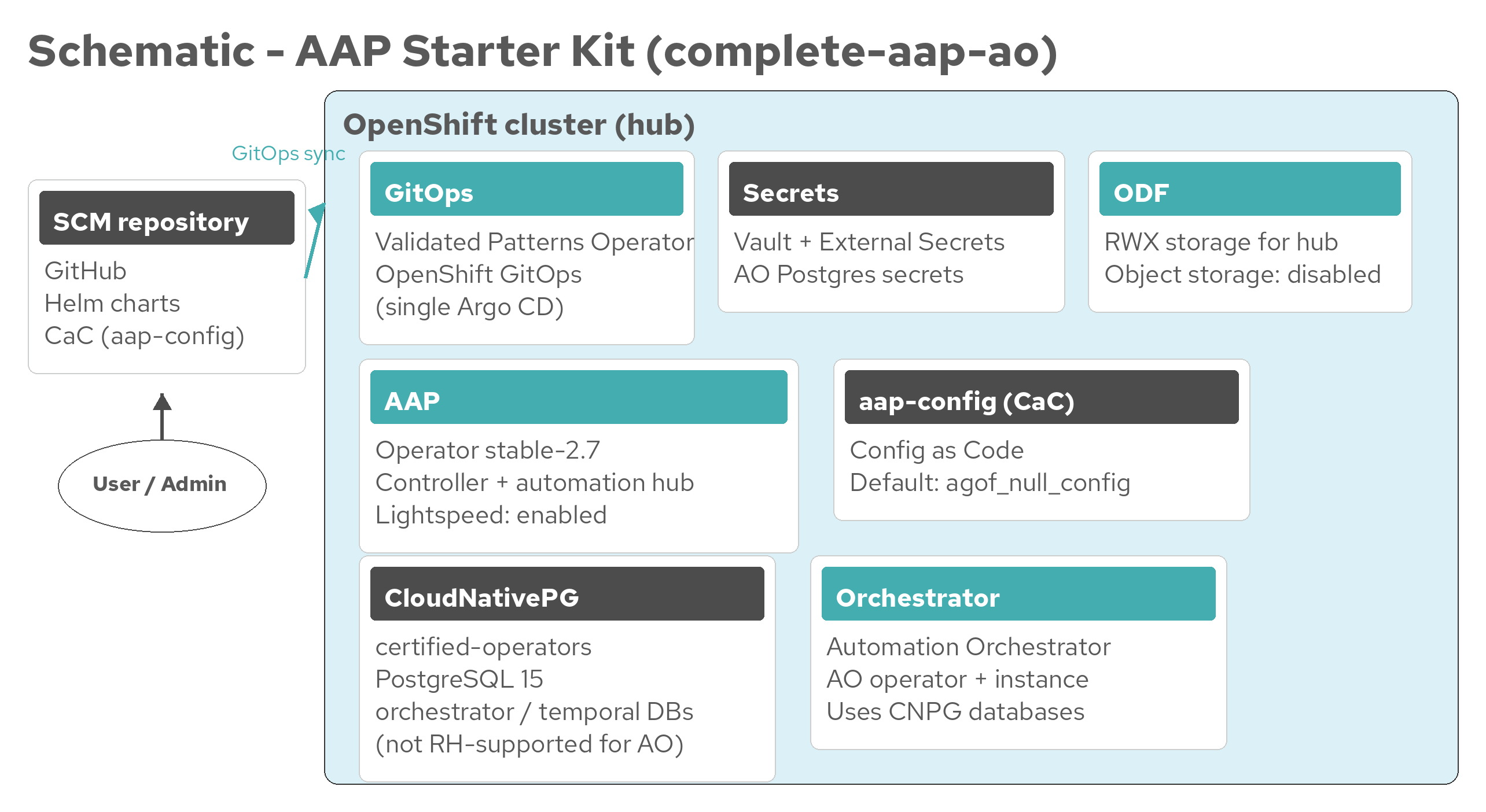
Figure 4. AAP Starter Kit architecture (complete-aap-ao)
draw.io source: aap-architecture-complete-aap-ao.drawio
| Layer | What runs |
|---|---|
Storage | OpenShift Data Foundation StorageSystem (RWX for automation hub) |
AAP features | Controller, automation hub, and Lightspeed |
Database | CloudNativePG PostgreSQL 15 for Automation Orchestrator |
Orchestration | Automation Orchestrator operator and instance chart |
Secrets and credentials
Certificate and secret handling uses Vault and External Secrets rather than local policy YAML in the pattern repository.
| Secret / policy | Used by |
|---|---|
| AAP entitlement (all variants) |
| Certified and validated content retrieval |
| Optional CaC secret overlay for |
|
|
| Alphanumeric generated passwords so URL-encoded characters do not break AO Alembic or configparser |
Helper scripts in the pattern repository:
scripts/ansible_get_credentials.sh— retrieves AAP admin credentialsscripts/ao_get_credentials.sh— retrieves Automation Orchestrator admin credentials
Related pages
Installation details — Variant installation differences and install sequence
Getting started — Variant selection, secrets, and deployment
AAP Starter Kit overview — Install variants summary
