Red Hat OpenShift AI components
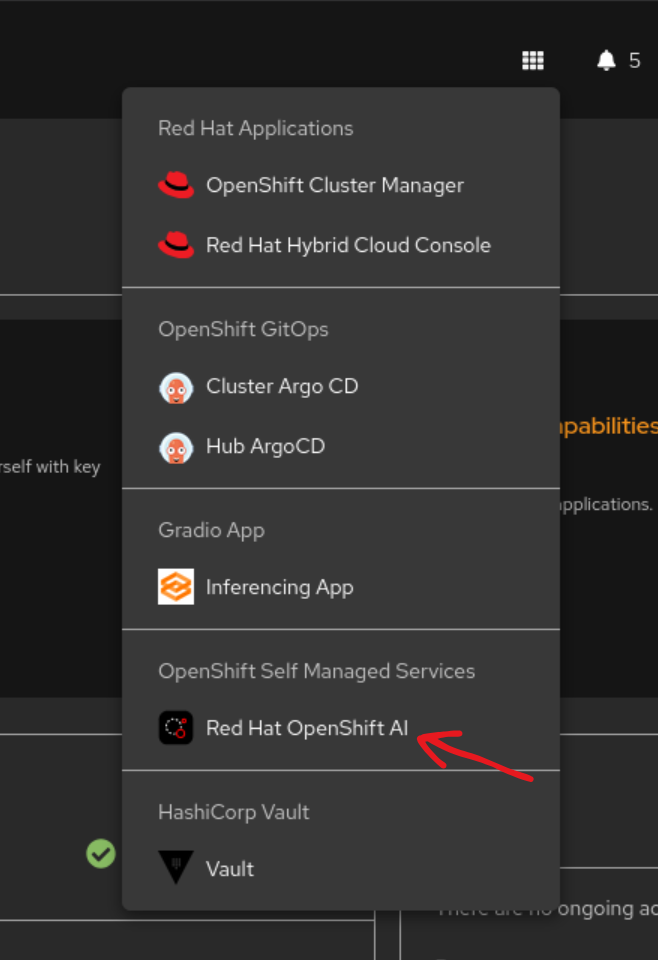
Most components installed as part of this pattern are available in the Red Hat OpenShift AI (RHOAI) console. To navigate to this page, click the Red Hat OpenShift AI link in the application launcher of the OpenShift console.
Figure 1. The RHOAI Link
Kubeflow pipeline
The pattern installation automatically creates and runs a Kubeflow pipeline to build and train the fraud detection model. To view pipeline details in the RHOAI console, select the Pipelines tab.
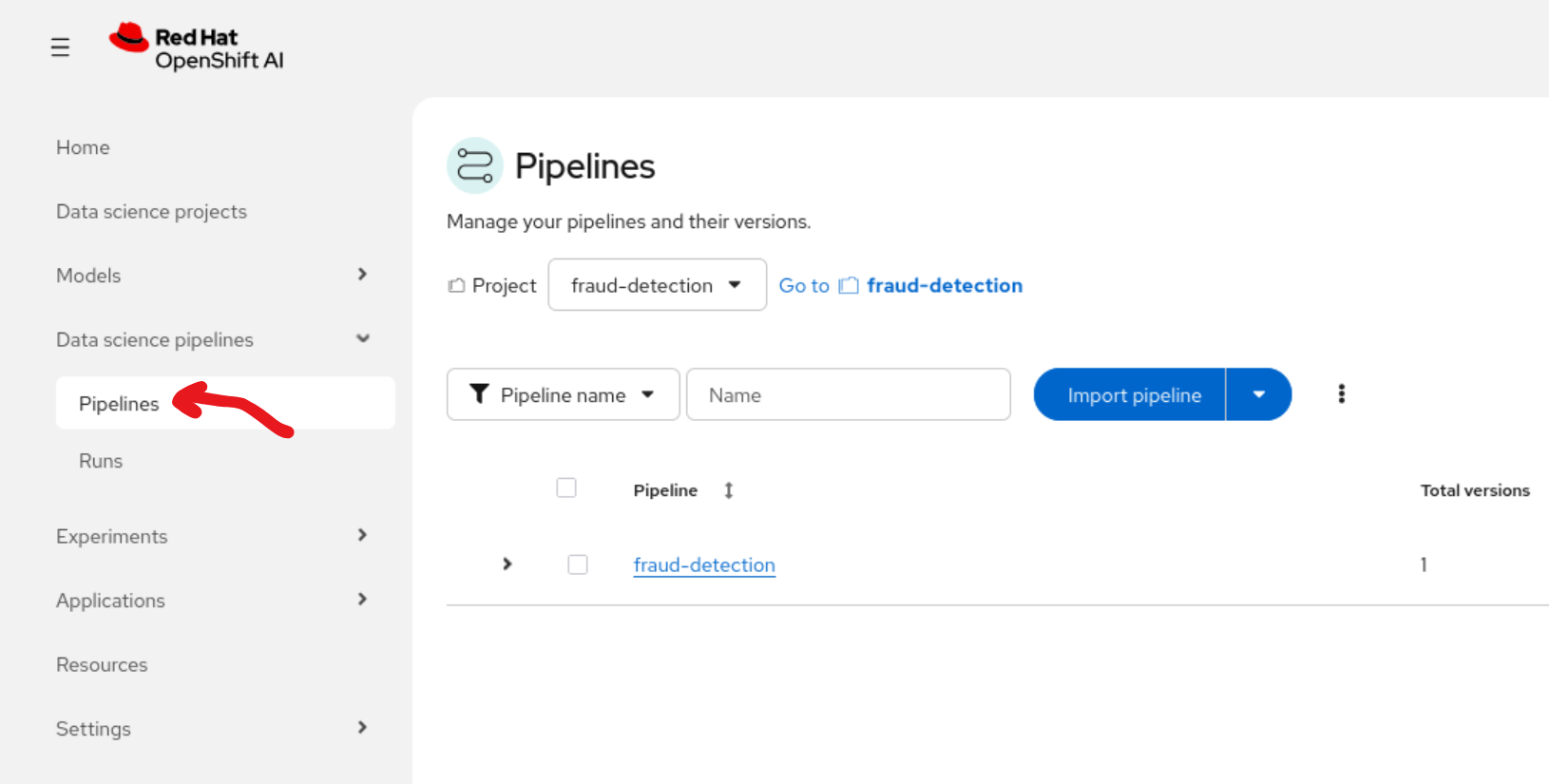
Figure 2. The pipelines tab
This tab displays the fraud-detection pipeline deployed as part of this pattern. To view the specific run that trained the initial model, select the Runs tab and then select the job-run item.
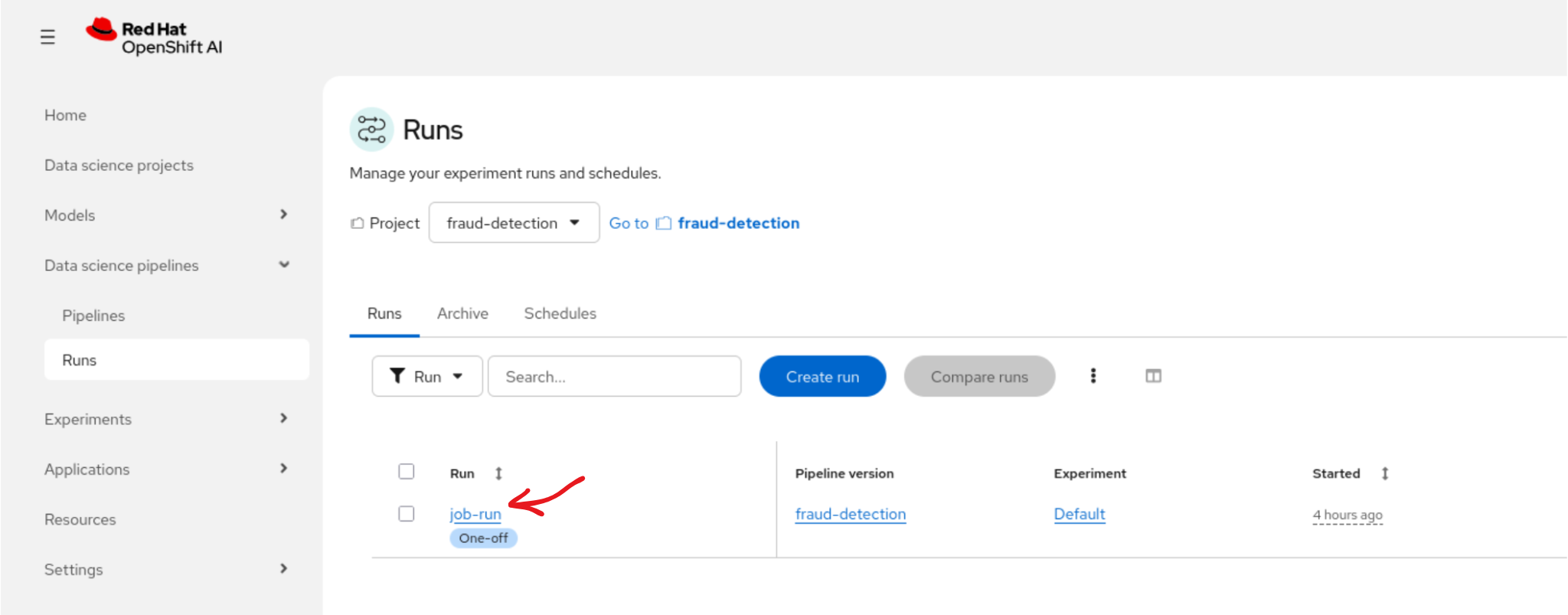
Figure 3. The runs tab
The Runs page displays a diagram of the pipeline, which includes the following three major steps:
Obtaining the training data.
Training the model.
Uploading the model to MinIO.
You can view the logs of any stage, such as the training stage, to monitor accuracy changes for each model training epoch.
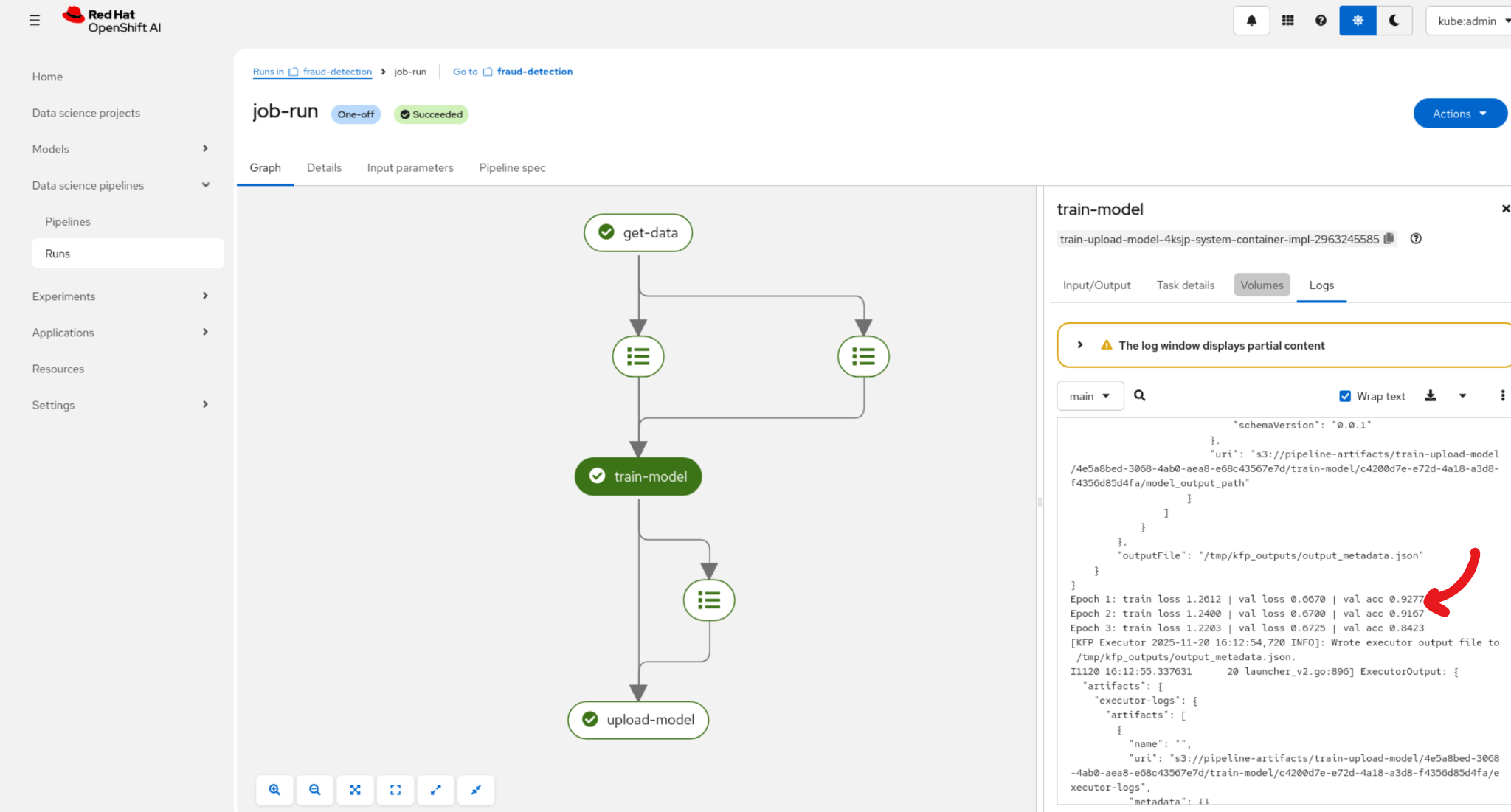
Figure 4. The job-run pipeline details
The source code for this pipeline run is available in the pattern repository at src/kubeflow-pipelines/small-model. |
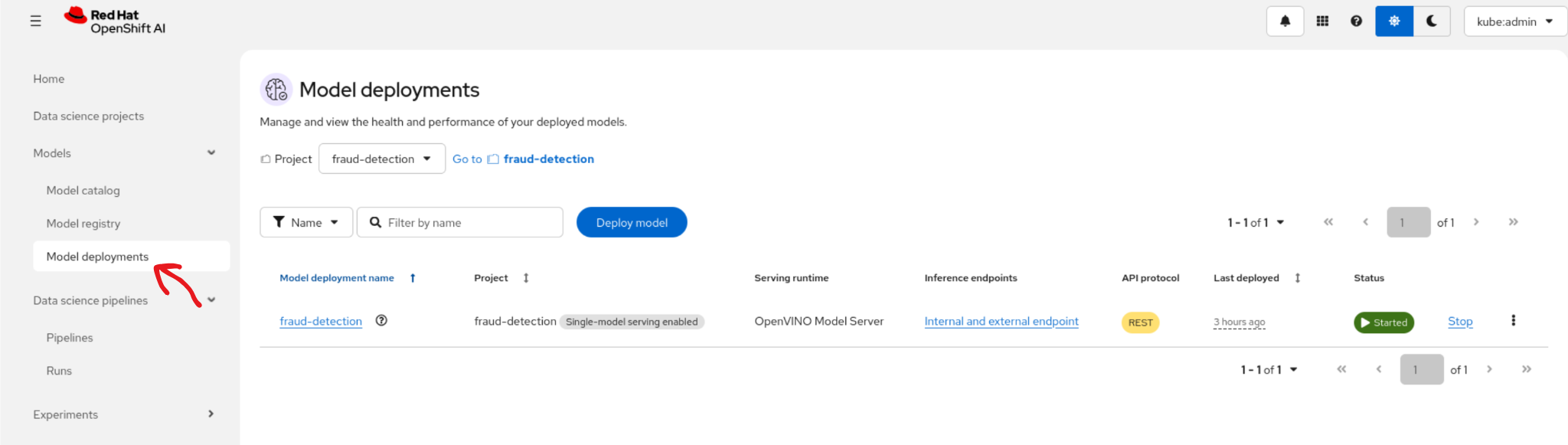
Inferencing application
The pattern installs a simple Gradio front end to communicate with the fraud detection model. To access the application, click the link in the application launcher of the OpenShift console.
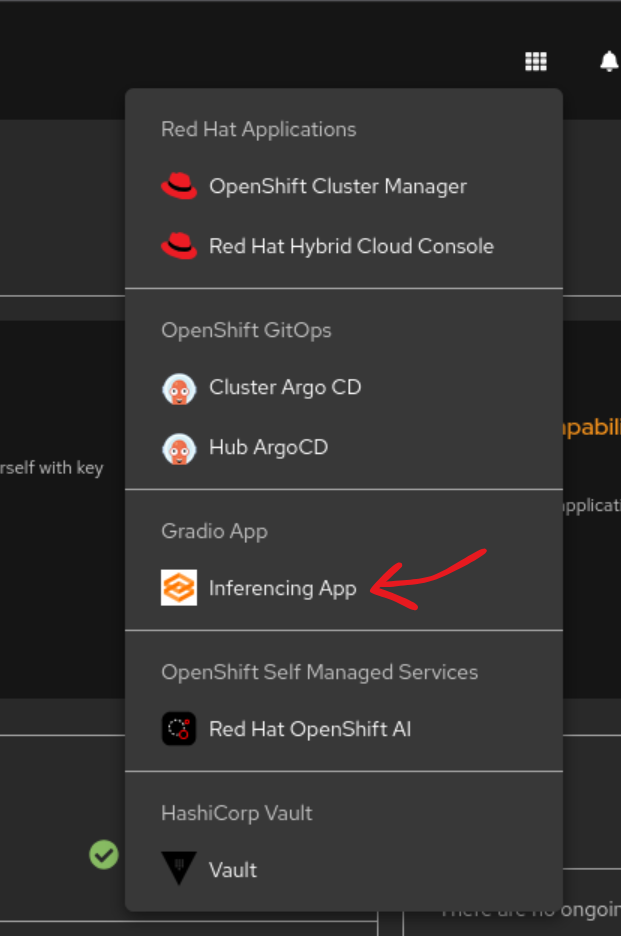
Figure 6. The inferencing application link
You can manually configure transaction details in the form. The application includes two examples: a fraudulent transaction and a non-fraudulent transaction.
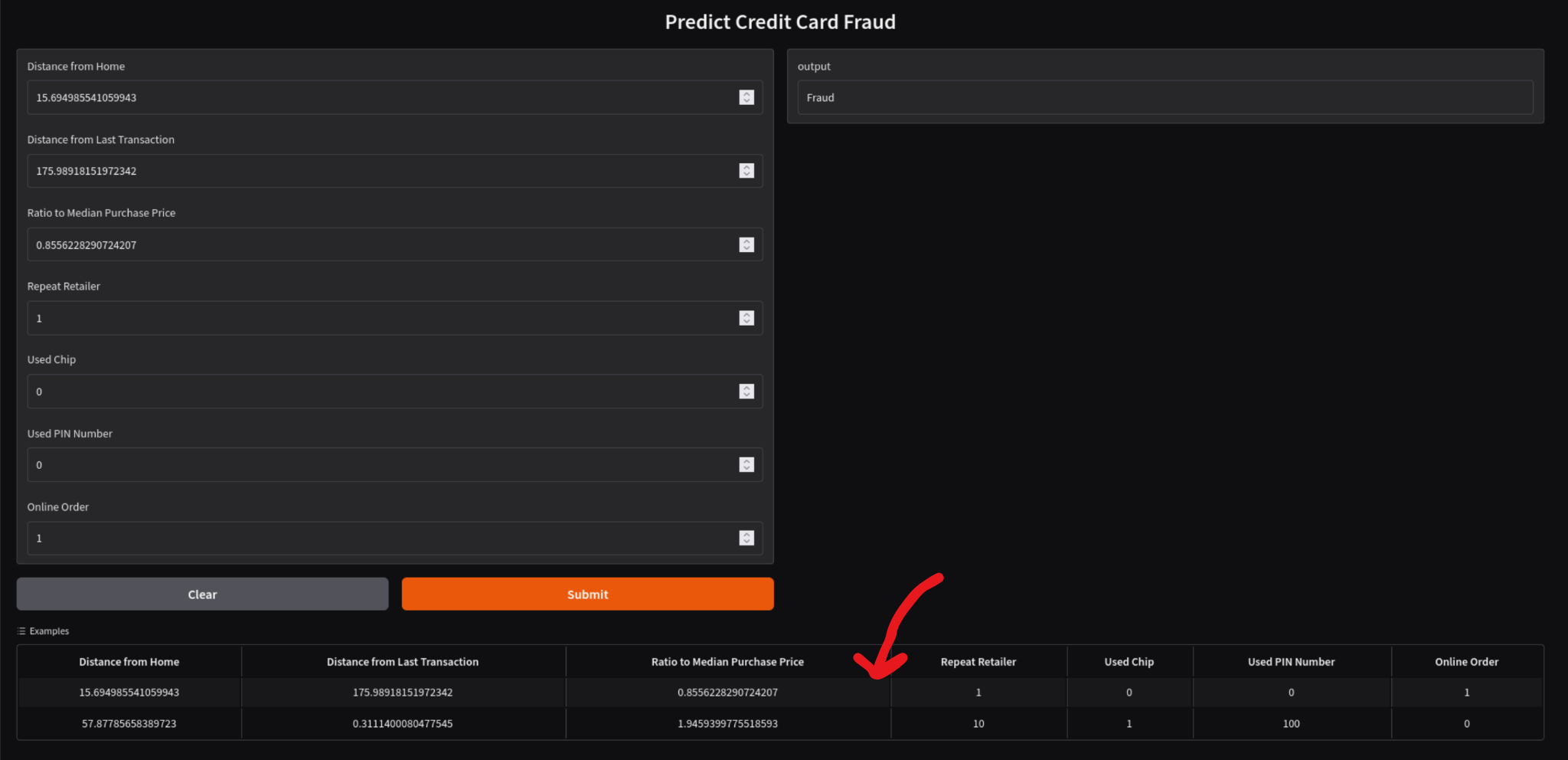
Figure 7. Using the fraud example
Due to the non-deterministic nature of the training process, the model might not always identify these transactions accurately. |
The source code for the inferencing application is available in the pattern repository at src/inferencing-app. |
