Consuming Validated Patterns
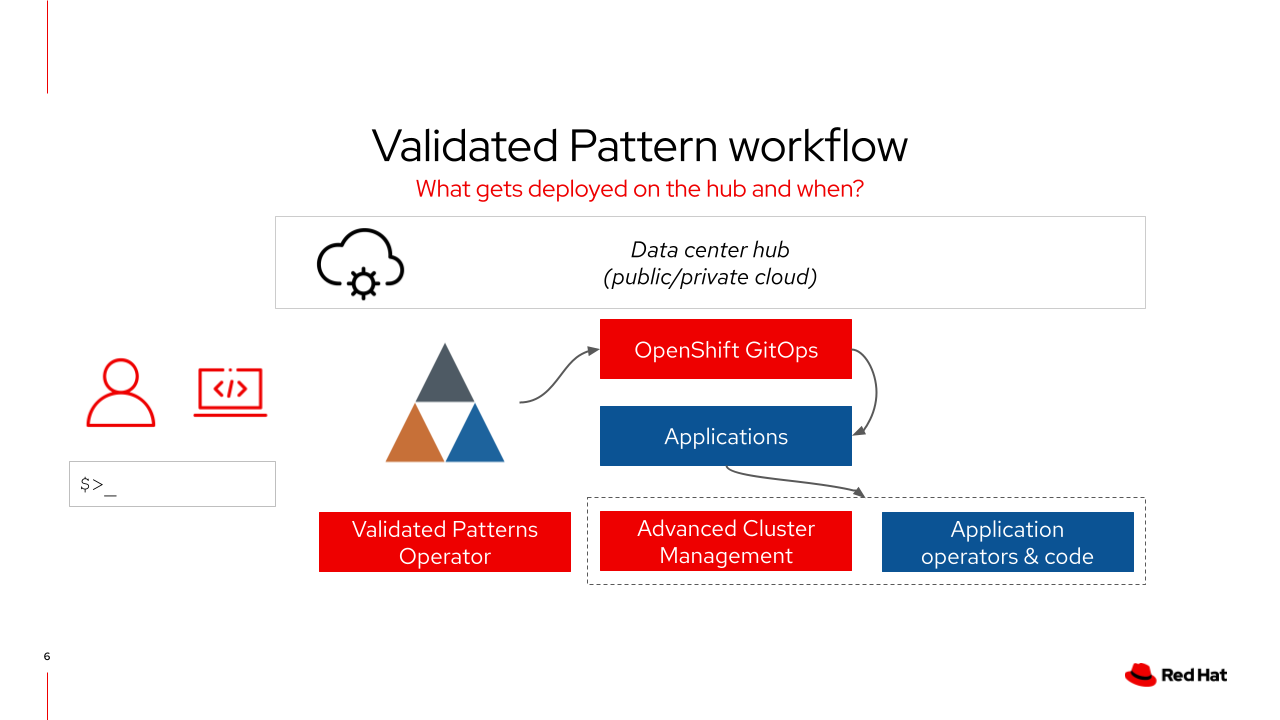
Let’s dive into what happens when we deploy a pattern! Take a look at the following graphic to see what is deployed on the hub clusterGroup cluster.
The patterns operator deploys an instance of Red Hat OpenShift GitOps and creates the initial application
ArgoCD then deploys the operators, namespaces, projects and applications defined in the values files
If deploying across multiple clusters, the framework uses Red Hat Advanced Cluster Management for Kubernetes policies to create the instance of Red Hat OpenShift GitOps on the remote cluster
values-hub.yaml is the primary values file for the hub cluster |
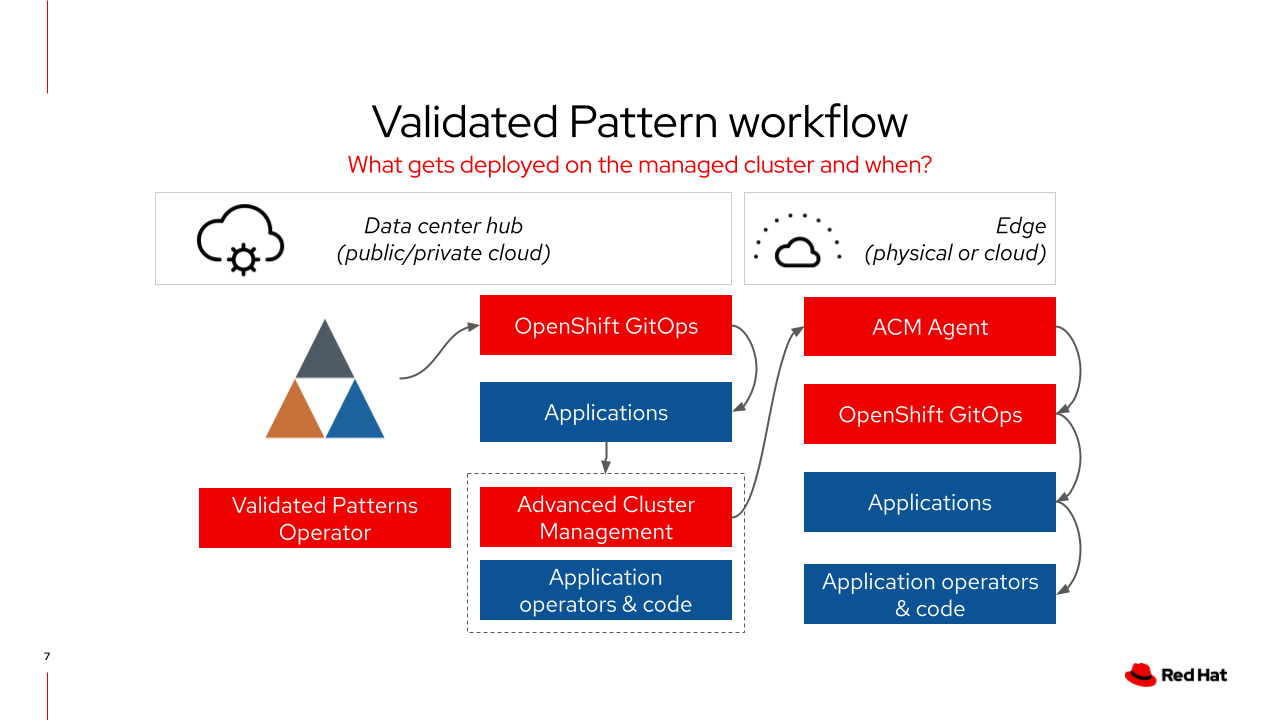
When a managed cluster is joined to Red Hat Advanced Cluster Management for Kubernetes it needs to have a clusterGroup label applied to it for the correct policies and applications to be deployed.
Red Hat Advanced Cluster Management for Kubernetes will confirm the cluster is managed then deploy a rhacm agent
A placement policy is then deployed to the managed cluster which installs an instances of Red Hat OpenShift GitOps
The managed cluster’s instance of ArgoCD will then deploy the resources declared in
values-clustergroup.yaml
Deploying the pattern through the OpenShift Console or via pattern.sh will deploy the patterns operator. |
Element Layering
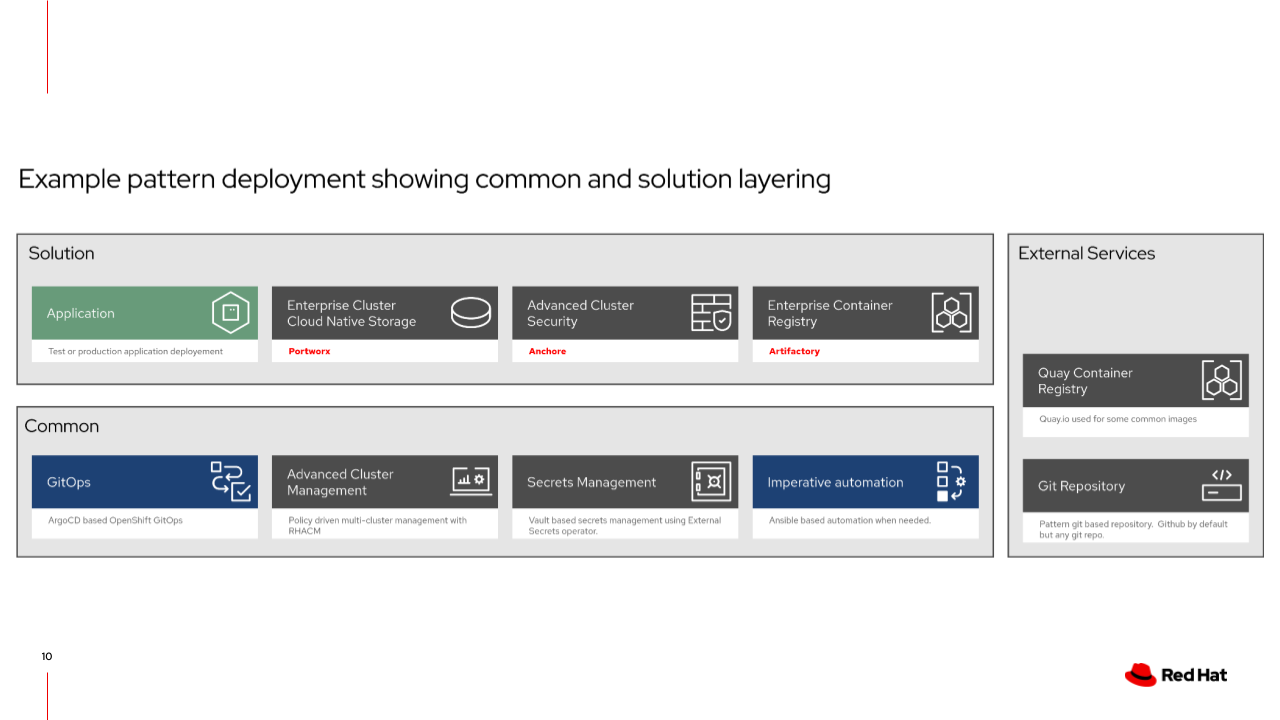
Architecturally, Patterns share a very similar base structure, as seen below.
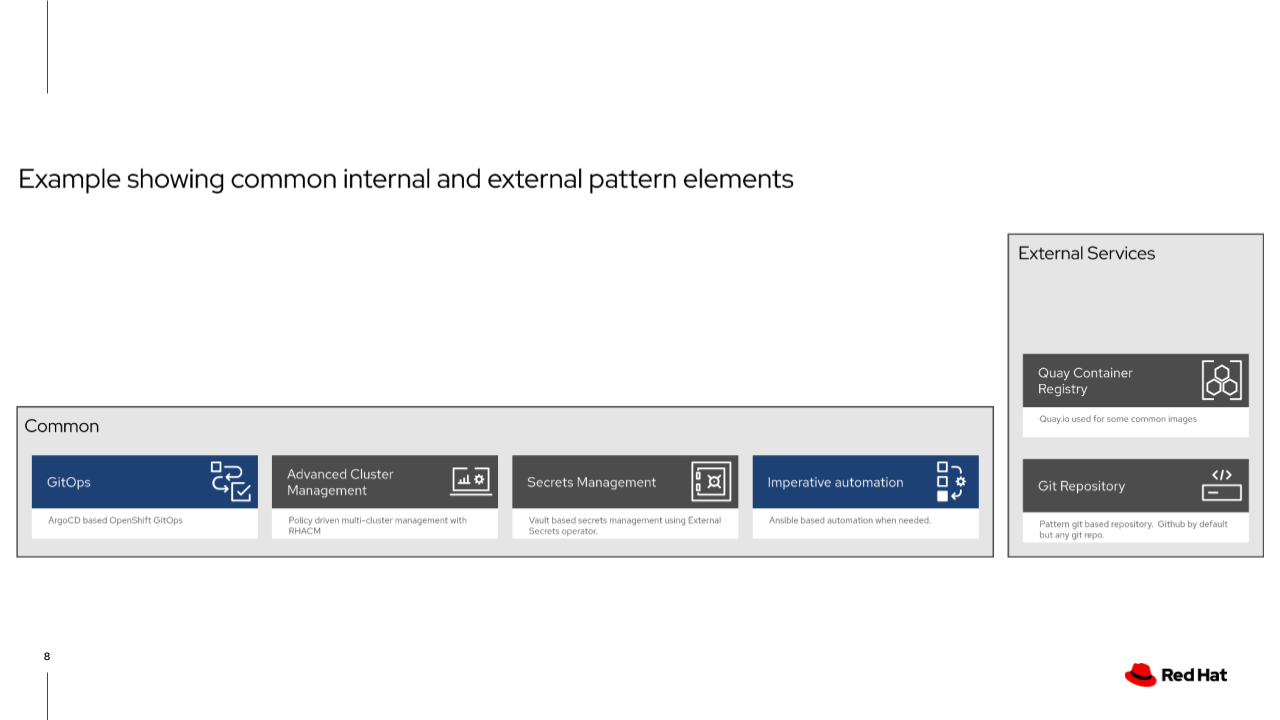
Your specific industry or use-case is layered into the framework and utilizes the underlying base structure. In this example, the solution includes a bespoke application, cloud-native cluster storage, Red Hat Advanced Cluster Security for Kubernetes, and an enterprise container registry. The framework will deploy and configure these components through Helm charts, Kustomize manifests or Ansible if necessary.
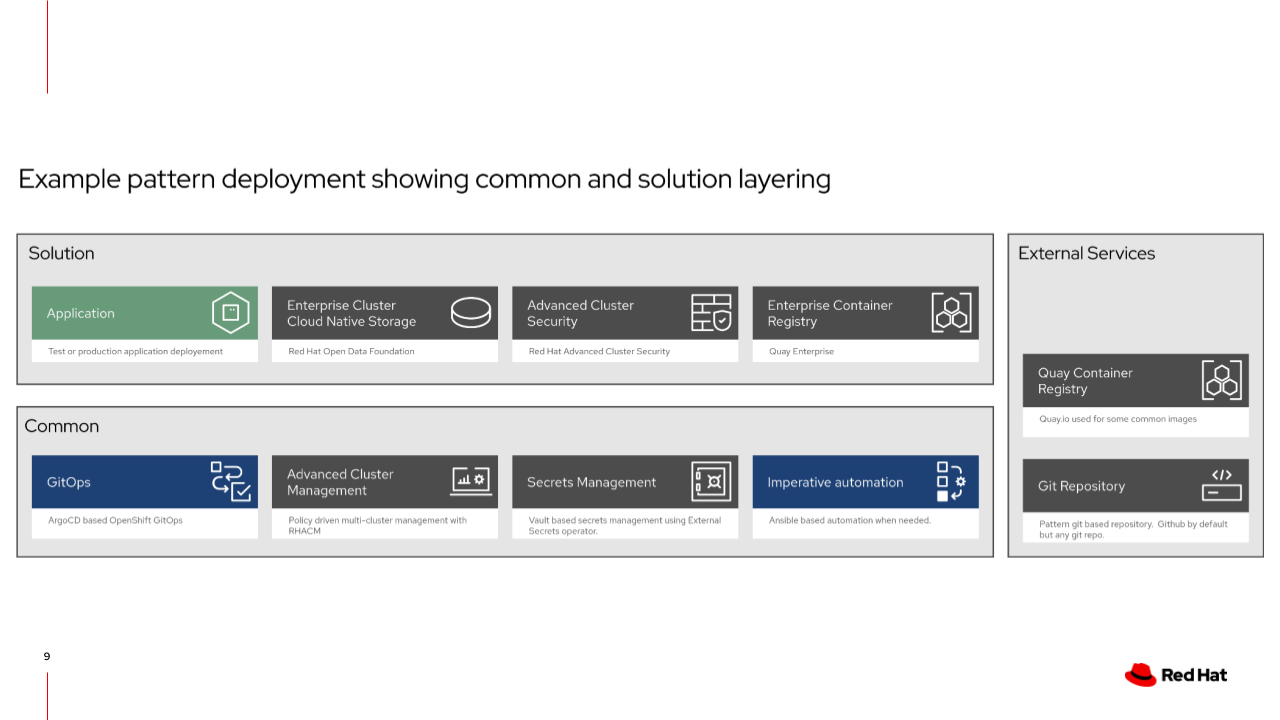
What if we wanted to swap these products out with a similar or like-in-kind solution? The workflow remains the same:
remove the undesired application declaration
declare the new application in your values file
declare where the helm charts reside (path, repo)
The following graphic illustrates swapping components in the framework:
The Base Architecture
So where exactly are these different architectural components defined?
GitOps
The Validated Patterns Operator automatically deploys an instance of OpenShift GitOps when a Pattern CR is installed on the cluster.
Check out an example Pattern CR for an Multicloud GitOps pattern installation:
apiVersion: gitops.hybrid-cloud-patterns.io/v1alpha1
kind: Pattern
metadata:
  name: multicloud-gitops
  namespace: openshift-operators
spec:
  clusterGroupName: hub
  gitSpec:
    targetRepo: https://github.com/validatedpatterns/multicloud-gitops.git
    targetRevision: main
When the Validated Patterns Operator reconciles this CR, it creates an Argo Application using the Validated Patterns Clustergroup Chart and the values-<.spec.clusterGroupName>.yaml values from the CR above.
Secrets Management
As you can see in our values-hub.yaml, we provide a namespace, subscription and an application for both of these components.
When we run ./pattern.sh make install it ultimately calls the rhvp.cluster_utils.load_secrets playbook and loads a secrets file from our home directory into Vault as part of the pattern installation process.
ACM
Similar to the secrets management, ACM is provided in values-hub.yaml as a namespace, subscription and an application. By providing a managedClusterGroups block in our values-hub.yaml we are able to provision spoke clusters with the Validated Patterns framework as well.
clusterGroup:
  managedClusterGroups:
    exampleRegion:
      name: group-one
      acmlabels:
        - name: clusterGroup
          value: group-one
Any cluster that ACM sees labeled with clusterGroup=group-one will be provisioned with our Clustergroup chart and linkhttps://github.com/validatedpatterns/multicloud-gitops/blob/main/values-group-one.yaml[values-group-one.yaml].
Imperative Jobs
The example imperative job in the Multicloud GitOps pattern is
clusterGroup:
  imperative:
    jobs:
      - name: hello-world
        playbook: rhvp.cluster_utils.hello_world
        timeout: 234
This gets transformed by the Clustergroup chart into several resources. This process is a bit complex and we will cover it in more detail later.
